Flight case labels, done properly.
Design, save and print PAL-style labels for every case on the truck. Colour-code by department, add your artist and company logos, and print two per sheet, ready to cut.
YOUR CREW
WORKS OFFLINE

The whole truck pack on one screen
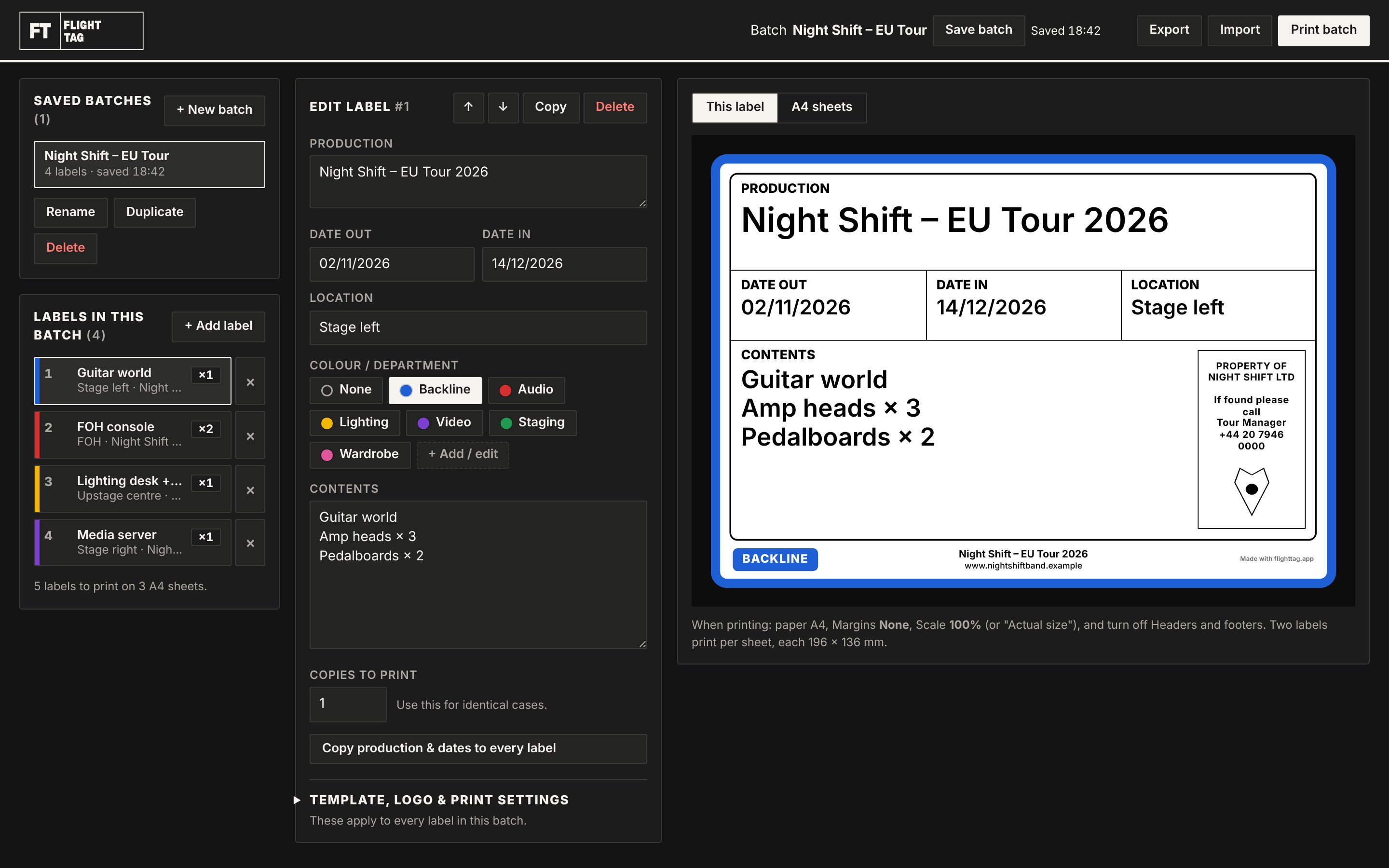
Batches on the left, the label you're editing in the middle, and a live, true-to-size preview on the right. What you see is exactly what prints.
Built for load-in, not for designers
Save every tour
Keep one batch per tour, show or truck. Open it months later and every label is exactly as you left it.
Colour-code at a glance
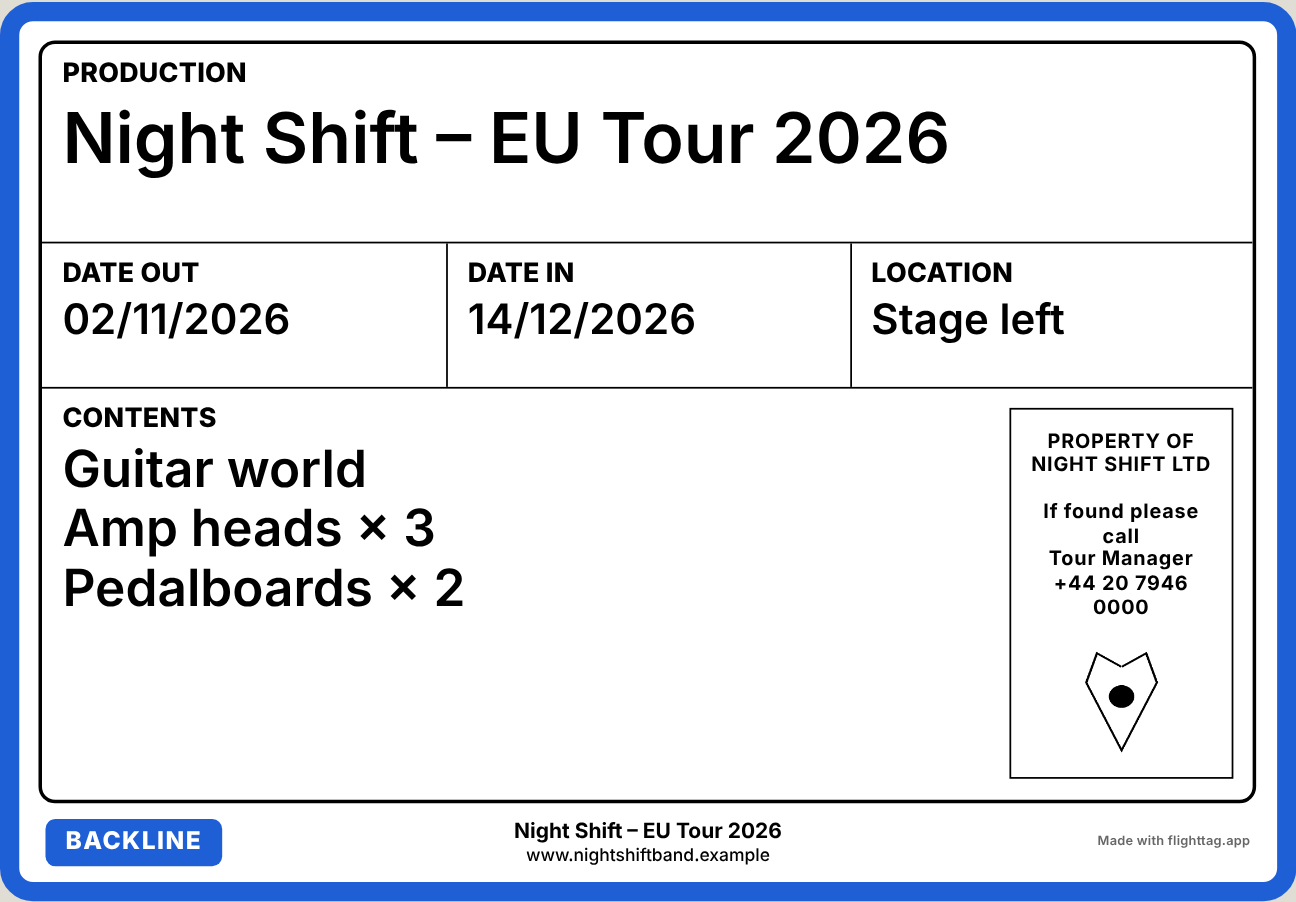
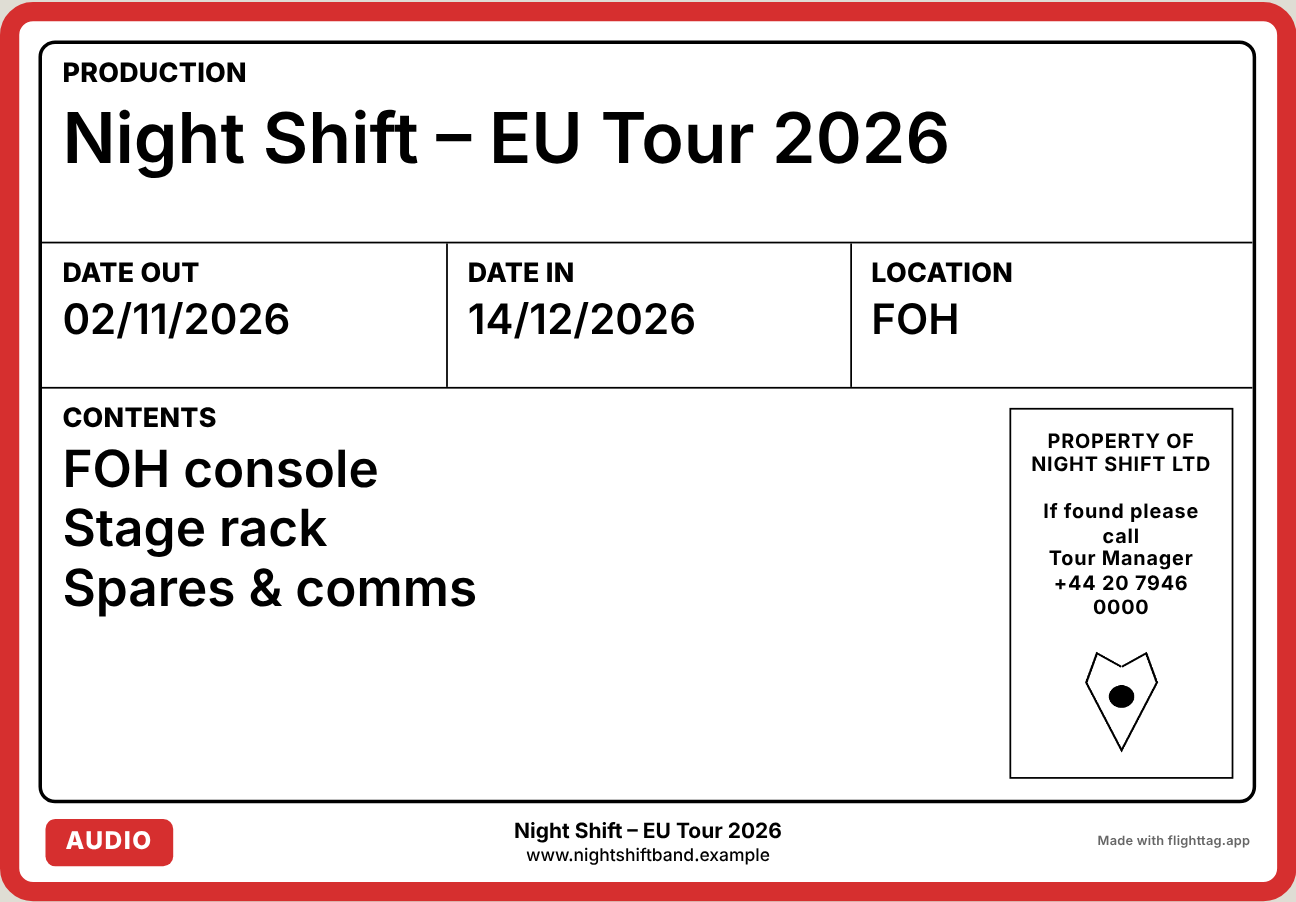
Backline, Audio, Lighting, Video, or your own departments. Give each one colour or two, printed as a bold border or hazard stripes.
Your artist, your company
Artist logo boxed in top left, company logo in the side panel, plus an optional faded logo behind the whole label.
Text that always fits
Long show names and packed contents lists shrink to fit their box. Nothing spills over and nothing gets cut off.
Two per A4, ready to cut
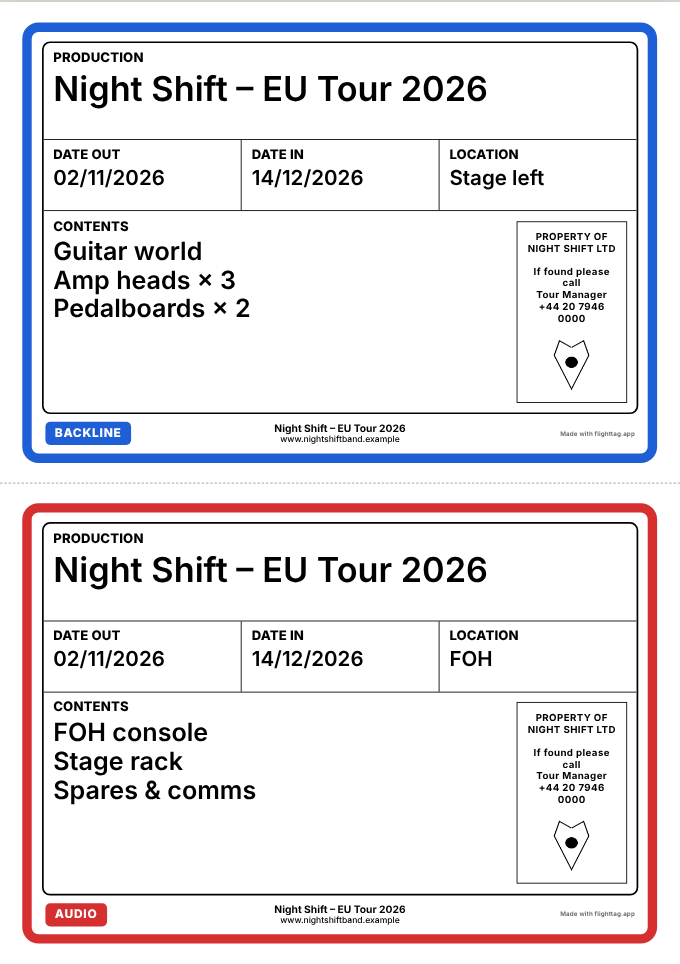
Set copies for identical cases, then print the whole batch with rounded cut guides and a dashed line between each pair.
Make the label yours
Rename any heading or clear it to remove that box. Write your own "if found" panel and a two-line footer.
Know every case from across the dock
Each department prints in its own colour, so the right case lands on the right side of the stage, first time.
Print the batch. Cut. Stick.
Use any office printer and plain A4 or label paper. One click prints the whole batch, every copy included, laid out two to a page.
- Label
- 196 × 136 mm
- Sheet
- A4 portrait
- Per sheet
- 2 labels
- Colour border
- 3 mm
Three steps to a labelled truck
-
01
Set up your template
Add your logos, your "if found" details, your footer and your departments. Do it once and every new batch starts from it.
-
02
Add a label per case
Type the contents, pick the location and department, and set copies. New labels keep the show name and dates.
-
03
Print the batch
Every label prints two per A4 sheet. Cut along the guides and they're ready for the cases.
Ready before doors
FlightTag for Mac
Its own app, no browser needed. Works offline and prints with the standard Mac print dialog.
macOS · Apple Silicon · v1.1
Download for MacFlightTag on any computer
A single file that opens in Chrome, Edge or Safari on Windows or Mac. Your batches save in that browser.
Windows · macOS · v1.1
Download for PCQuestions from the crew
Does it need the internet?
No. Everything runs on your computer, so it works in a dressing room with no signal.
Where are my batches saved?
On your own computer. Export any batch to a file to back it up or share it with another tech, who can import it.
Do I need a colour printer?
Only for the department colours. Everything else is black on white and prints clearly on any printer.
Can I change the boxes on the label?
Yes. Rename any heading, or clear it to remove that box, and the rest of the label rearranges to fill the space.